 quite.space
A post can have an atmosphere — what stands behind the text: a living background or a sequence of pictures, and, if you want, sound.
The reader always stays in charge: since 1.0.8 opening the post opens its picture — within whatever you set for atmospheres (off, poster, calm, full), whatever the space permits, and whatever your system’s reduce motion says. Sound is the one thing that still asks.
What it is made of
| part | required | what it is |
|---|---|---|
| picture | yes, one of two | either a moving scene or pictures as you read — never both |
| sound | no | one track, playing behind the post |
| words | yes | what the reader gets if the picture cannot be shown |
The last one is not a formality. The rule is simple: the renderer may degrade, the meaning may not. A client that does not know your scene, an old phone, “reduce motion” switched on — in all these cases the reader gets your phrase, not emptiness. The editor writes it itself (“Nebula — a slow moving background”), and you can replace it with your own.
How to add one
Open the composer (✍ New post) and find the Atmosphere panel.
1. Sound first
The panel opens on sound deliberately: everything visual has workable defaults, but no one can guess whether this post should sound.
♫ Add a sound → pick a file. You get:
- loop / once — play in a loop or one time;
- volume.
Sound plays only for someone who opened the post with sound. The soft fade-in and fade-out are already set up.
2. A moving scene
Under Customize is a live preview running through the same engine the reader will see (not a mockup and not a screenshot: otherwise the author would be tuning a picture that no one will ever have).
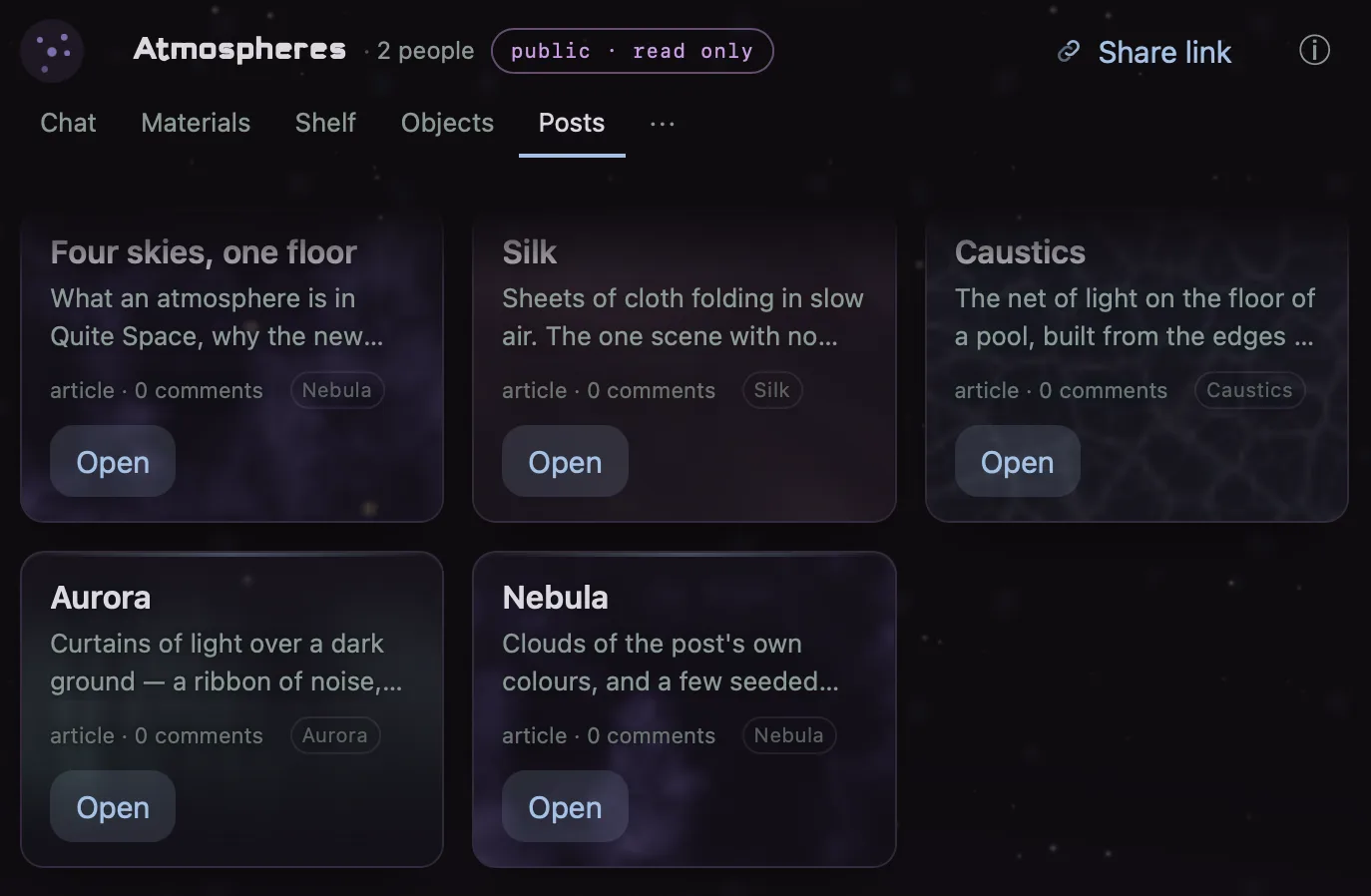
Since 1.0.7 the scenes on offer are four, and every one is a fragment shader — a tiny program with no memory, no network and no eyes, metered by the same brightness floor whatever it computes:
| scene | character |
|---|---|
| Nebula | clouds of the post’s own colours and a few seeded stars |
| Aurora | curtains of light over a dark ground |
| Caustics | the net of light on the floor of a pool |
| Silk | sheets of cloth folding in slow air |
The earlier six (Drift, Tide, Orbit, Dust, Ember, Pulse) are retired, not removed: the composer no longer offers them, but every post that already names one keeps its picture, on every device — a scene id, once published, is a promise.
Below is Seed with a ⚄ Reroll button (the same scene with a different seed looks different, and reproducibly so) and three knobs that are the same everywhere: drift, density, glow. Switching scenes resets them — they belong to the scene.
Below that — the palette (the dimming under the text is computed from it), the words, and the origin, if the atmosphere was taken from another post.
3. Pictures as you read
The other mode: the background changes while the person reads.
- In the Atmosphere panel, switch the mode to Pictures as you read.
- In the block list, press + 🖼 Background — and choose a picture.
The picture binds to a place in the post: it stands right before its block and means “from here on down, this background”. That is also why it lives among the blocks: it can be moved and deleted like a block.
- Up to 12 pictures per post.
- Click a thumbnail to replace it.
- The order always follows the order of the document: “here”, not “third”.
- If the anchor block is deleted, the picture does not silently vanish — the editor will show that it needs a new anchor.
The scene and the pictures are alternatives. Switching modes gives an honest warning that nothing of the generative half will survive.
A separate sound per picture is provided for in the contract, but it is not played and the editor does not offer it. Showing the author a field the reader will never hear would be selling something that does not exist.
What the reader sees
In the feed — a card with a still first frame (or a poster):
◌ Nebula atmosphere · With soundThere are no live loops in the feed at all: one frame per visible card, and even that disappears when the card scrolls off screen.
A click on the card opens the post, and the post opens its picture — the bar reads moving from the first frame, with Pause and Leave. With sound is the only door left, and it reads as a door, not as a toggle that implies the sound was ever on.
Inside the post the atmosphere is a layer behind the whole article, not an insert between paragraphs. Between it and the text lies a dimming layer that is recomputed for every picture: a bright photo will not eat the text.
The control strip after entering:
| button | what it does |
|---|---|
| Pause | freezes on the current frame, not rewound to the start |
| Resume | continues from the same place |
| Mute / Unmute | sound only; the picture is untouched |
| Leave | exit: the deterministic first frame and the doors again |
| Use this atmosphere | take the recipe into a new draft of your own |
The last one deserves a separate word: what is copied is the recipe, not the picture, and it keeps a mark of what it descends from — verifiable, not taken on faith.
Safety and respect for the reader
This is not a declaration but what is built into the mechanics:
- Scenes cannot flash. The speed and amplitude of brightness change are limited at the level of the scene API, not by trust in the author. Every built-in scene is run through an automated check across its whole parameter range.
- Scenes do not draw text. A scene that can draw letters can forge a system message.
- “Reduce motion” in the system means a fixed safe fade instead of the author’s, and no movement.
- A tab in the background — drawing stops.
- One scene at a time across the whole app.
- Sound yields. If a listening room is running, a post’s background will not start playing over it — it will honestly say why.
- Nothing of what happens on the reader’s side is sent back: motion and sound are the performance of a recipe, not data.
If the atmosphere is not showing
| symptom | reason |
|---|---|
| the post opened without motion | your atmosphere setting, the space’s permission, or the system’s reduce motion said so — the stage obeys whichever is quietest |
| a phrase instead of the picture | this client does not know your scene, or “reduce motion” is on. The reader got the meaning |
| the sound did not start | another sound is already playing (a listening room, for example) — the reason is written in the strip |
| “A sequence needs at least one picture” | picture mode is selected but no picture has been added |
| “Write something first” | a picture marks a place in the post, and there are no blocks yet |